
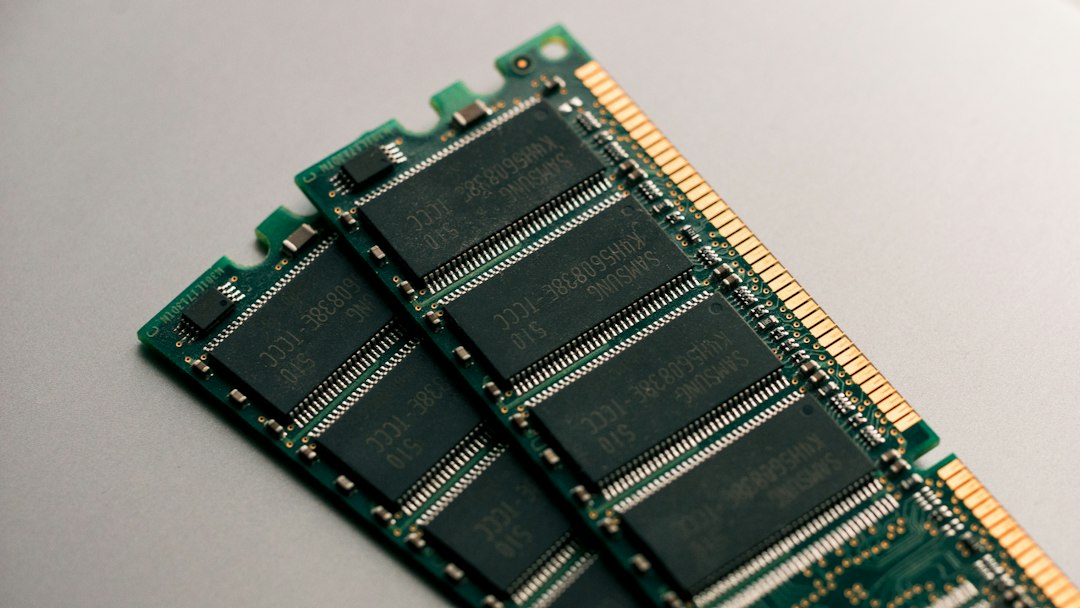

An ECC RAM dedicated server is usually the safer choice when memory errors could corrupt important data, interrupt many virtual machines or make a production service unreliable. ECC memory can detect and correct certain memory errors before bad data reaches an application. It reduces one class of hardware risk, but it does not replace backups, application checks, storage redundancy or monitoring.
This guide explains what ECC protects, where it matters most, how DDR5 on-die ECC differs from server-grade system ECC, and what to verify before ordering a dedicated server.

Do you need ECC RAM in a dedicated server?
Choose ECC memory when a server will hold important databases, run multiple virtual machines, provide storage, process long-running jobs or stay online continuously. These workloads keep more data in memory for longer, and one memory fault can affect more users or more valuable state.
Non-ECC memory can still be reasonable for a disposable test machine, a short-lived build runner or a workload whose data can be recreated quickly. The decision should depend on the cost of a wrong calculation, corrupted process state or unplanned restart, rather than on a vague “enterprise” label.
| Workload | ECC priority | Why |
|---|---|---|
| Production database | High | Frequently accessed pages, indexes and transactions live in memory. |
| Virtualisation host | High | One physical memory fault can affect several guests. |
| Storage server or backup repository | High | Data may pass through memory before being checksummed or written. |
| Scientific, financial or long-running compute | High | A silent error can invalidate hours of work or alter results. |
| Busy web or application server | Usually worthwhile | Caches, sessions and application state can be affected. |
| Game server | Useful for production | Stability matters, although CPU clock speed and network latency may be more visible performance constraints. |
| Disposable development or test server | Lower | The environment may be easy to rebuild and hold no unique data. |
This table is a risk guide, not a statement that every listed workload requires a particular certification or memory type. Check the operating system and software vendor requirements for your deployment.
What ECC memory does
ECC stands for error-correcting code. In a typical server platform, the memory controller stores extra check information alongside data. When the data is read, the controller uses that information to identify and correct supported error patterns or report an error it cannot correct.
The exact protection depends on the processor, memory controller, DIMMs, firmware and platform design. A common implementation corrects a single-bit error and detects some multi-bit errors, while higher-end platforms may provide stronger protection such as memory scrubbing, device-level correction or page retirement. Do not assume that every product labelled “ECC” has the same resilience.
Micron’s ECC memory overview distinguishes side-band, inline, on-die and link ECC. That distinction matters because a product description can use the term ECC while referring to protection at a different point in the memory path.
Correctable and uncorrectable errors
A correctable error is detected and repaired by the supported hardware mechanism before the system continues. It still deserves attention if it repeats. An uncorrectable error exceeds the mechanism’s correction capability and can lead to a process failure, machine check, restart or data loss, depending on where it occurs and how the platform responds.
The Linux kernel reliability documentation explains that correctable memory errors do not mean data has already been damaged, but repeated events can justify preventive maintenance. A useful server therefore needs error reporting and an operational response, not merely ECC-capable DIMMs.
Where ECC RAM provides the most value
Databases and in-memory services
Database buffer pools, indexes and write-ahead logging structures can keep important data in RAM. ECC reduces the chance that a supported memory error silently alters that state. It cannot repair application bugs, bad queries, storage corruption or an accidental deletion, so database backups and restore tests remain essential.
Virtualisation hosts
A bare-metal hypervisor divides one physical machine among many virtual machines. Its memory is a shared failure domain: a hardware fault can affect the host or a guest that owns the affected page. ECC is therefore a sensible baseline for production virtualisation, alongside capacity headroom, host monitoring and a recovery plan.
If you are deciding whether one physical machine suits the workload, our dedicated server vs VPS guide explains the differences in resource isolation, management and scaling.
Storage, backups and checksummed filesystems
Checksums help detect corruption in stored or transmitted data, but they do not make unreliable memory harmless. Data and checksum calculations both pass through memory. Use ECC as one layer in a design that also includes storage redundancy, independent backups and verified restores.
Long-running computation
Rendering, compilation, analytics and scientific jobs may keep large working sets in memory for hours. A fault late in the job can waste significant compute time or produce a plausible but wrong result. ECC can reduce that risk, while application-level validation remains necessary where correctness is critical.
DDR5 on-die ECC is not the same as server-grade system ECC
All DDR5 includes on-die error correction designed to improve reliability inside each DRAM chip. That feature is valuable, but it does not automatically mean a standard DDR5 module provides the same end-to-end protection and error reporting as a server platform using ECC-capable memory.
Micron notes that DDR5 on-die ECC is internal to the DRAM device and is invisible to the host memory controller. It corrects errors inside the chip before data is sent out, while traditional server ECC also protects and reports data through the platform’s memory path. When a specification says only “DDR5,” ask whether the installed modules and the complete server platform support system-level ECC.
ECC UDIMM, RDIMM and platform compatibility
ECC capability is a platform feature, not a DIMM label in isolation. The processor’s memory controller, motherboard wiring, firmware and memory module type must work together. A board that can physically accept a module may still run it without correction or refuse to boot with an unsupported type.
- ECC UDIMM: unbuffered ECC memory, often used in entry server and workstation platforms.
- RDIMM: registered memory commonly used in server platforms to support larger capacities and more DIMMs.
- LRDIMM: load-reduced memory used for high-capacity configurations on platforms that explicitly support it.
Do not mix these module classes unless the server documentation explicitly permits it. Confirm supported capacity, speed, ranks, channel population rules and whether enabling a larger configuration reduces memory frequency.
Microsoft’s current Windows Server hardware guidance recommends ECC or similar technology for physical host deployments. AMD likewise lists validated ECC memory among the server features of its EPYC 4004 and 4005 platforms. These examples show why the complete platform matters; they do not describe a specific OVHSAS configuration.
What to verify before ordering an ECC RAM dedicated server
- Ask for the exact CPU and server platform. Confirm that the processor, motherboard and firmware support ECC together.
- Confirm the module class. Record whether the configuration uses ECC UDIMM, RDIMM or LRDIMM, plus its speed and capacity.
- Separate DDR5 on-die ECC from system ECC. “DDR5” alone is not enough evidence of host-visible, server-grade error correction.
- Check the operating system view. Ask how ECC capability and errors are exposed through firmware, the baseboard management controller and the intended operating system.
- Confirm monitoring and replacement procedures. Find out who receives correctable and uncorrectable error alerts, what threshold triggers investigation, and how a failed DIMM is replaced.
- Plan capacity by workload. Enough ECC memory is more useful than an undersized configuration that constantly swaps to storage. Measure peak use and leave operational headroom.
- Keep an independent recovery path. ECC does not protect against deletion, ransomware, software defects, failed storage or loss of the entire server.
For the rest of the specification, use our dedicated-server buying checklist, which covers CPU, storage, network terms and operational support. If network transfer is a likely bottleneck, the 1Gbps vs 10Gbps comparison provides transfer calculations and questions to ask about bandwidth.
How to monitor ECC memory after deployment
On Linux, the EDAC subsystem can expose corrected and uncorrected memory events when the hardware and driver support it. The kernel EDAC documentation defines corrected, uncorrected and deferred error types. Hardware vendors may also report events through the baseboard management controller, system event log or their own management tools.
Monitoring should create an actionable alert rather than a number nobody reviews. Record the DIMM or memory channel, event type, count and time window. Investigate repeated corrected events and treat uncorrectable errors as urgent. Thresholds and replacement decisions should follow the server manufacturer’s guidance because platforms report and handle errors differently.
Do not disable error reporting simply because the server remains online. Correction maintains service for supported faults; it does not make a degrading component healthy.
Choosing the right memory configuration
Start with reliability and capacity, then consider bandwidth. A database that needs 96GB should not be forced into 64GB merely to obtain a higher advertised memory speed. A virtualisation host must reserve memory for the hypervisor and operational peaks instead of allocating every gigabyte to guests.
Memory channel population can affect throughput. If the workload is genuinely memory-bandwidth limited, compare supported configurations using the processor and server manuals, then benchmark the real application. Avoid assuming that a higher DDR generation or clock label will produce a proportional improvement.
Review the current OVHSAS dedicated-server catalogue to see listed configurations, then confirm ECC support, module type and monitoring for the exact server before ordering. Catalogue details and availability can change, and this guide does not claim that every OVHSAS system includes ECC memory.
OVHSAS is a Digitalberg brand and is not affiliated with OVHcloud or OVH SAS (France).
Frequently asked questions
Is ECC RAM necessary for every dedicated server?
No. It is most valuable where reliability and data integrity matter. A disposable development server may accept the risk of non-ECC memory, while a production database, storage system or virtualisation host usually justifies ECC.
Does ECC RAM prevent all crashes and data corruption?
No. ECC addresses supported memory error patterns. Software defects, storage failures, power loss, attacks and operational mistakes require other controls.
Is all DDR5 memory ECC memory?
DDR5 includes on-die error correction inside each DRAM chip. That is not automatically equivalent to system-level ECC with host-visible correction and reporting. Verify the module and complete platform.
Can ECC RAM replace backups?
No. ECC reduces memory-error risk; backups preserve recoverable copies. Keep backups separate from the server and test restoration.
How can I check whether ECC is working?
Use the server platform’s firmware or management controller and supported operating-system tools. On Linux, EDAC may report memory events when supported. A tool reporting an ECC-capable DIMM is less useful than confirmation that correction is enabled and errors are monitored.
Sources
- Micron: What is ECC memory?
- Linux kernel: Reliability, Availability and Serviceability
- Linux kernel: EDAC devices
- Microsoft Learn: Windows Server hardware requirements
- AMD: EPYC server CPUs for small business and hosting
Research reviewed 13 November 2026. Technical capabilities vary by processor, motherboard, firmware, DIMM and operating system. No OVHSAS hardware benchmark, certification, availability or stock claim is made.